
Home inventory
Build a searchable home inventory from photos.
Photograph a shelf, a bin, or a closet once. DrawerPilot proposes what it sees, you review the names and the spot, and later you can find the saved location of the spare towels or the Halloween tote without opening every box.
Free to start. Photograph one useful bin.
What are you looking for?
Try gloves, charger, or keys
Example
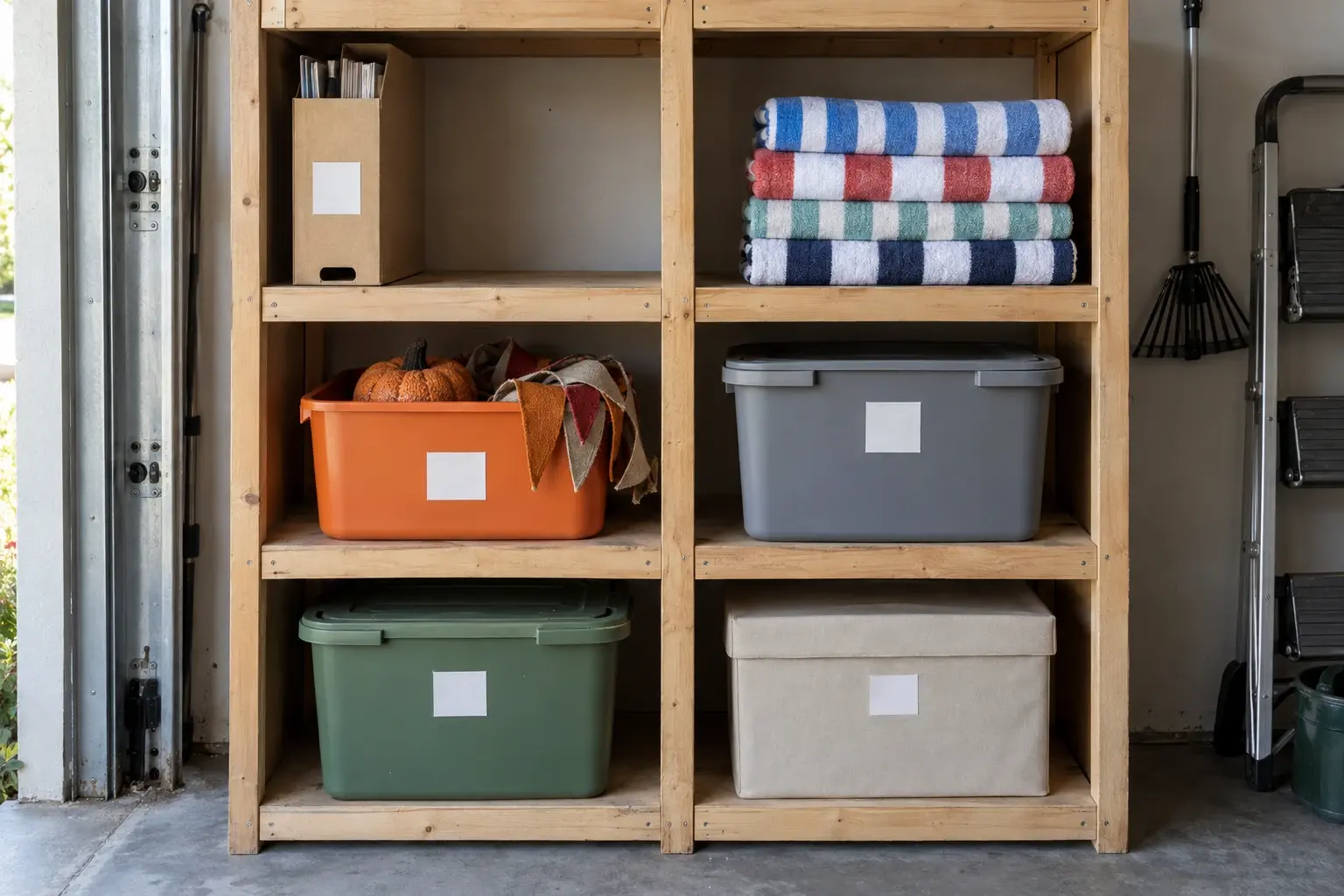
One garage shelf, from the photo to the search result.
Big totes, a box of manuals, and spare beach towels. Closed bins keep their contents from the camera, so you add those yourself.
1Photograph
2Review the scan
Garage
6 spots proposed from 1 photo. Rename, move, or remove before saving.
3Find it later
Find
Search by name on Free. Ask in plain words with Smart Search on Pro.
Example with fictional data. Nothing is added to a household until someone approves it.
How it works
Three steps, start to finish.
- 1Photograph one useful areaOpen Scan and take a photo of a shelf, a bin, or a closet. Big totes and spare towels count. You do not need to catalog every drawer.
- 2Review what was recognizedDrawerPilot proposes an area, its spots, and the items it can see. Rename a spot, move an item, remove a guess, or file the whole thing under a room before saving.
- 3Find it laterSearch by name, or ask in plain words with Smart Search on Pro. The result shows the item, its spot, and the spot code that matches the label on the bin.
One limit. DrawerPilot records where you said something is. Moving it in real life does not move the record, so update the item’s spot when it changes.
What it does.
- One photo per spot. Shelves, bins, closets, and the box of instruction manuals. A photo adds spots and items without typing each one.
- Search by name, or ask on Pro. Local search finds a record by its name. Smart Search understands a plain question and is part of Pro.
- A spot code on the bin. Every spot gets a short code you can write on the label, so the record and the box match.
FAQ
Common questions.
Can a photo identify every item?
No. DrawerPilot proposes the items it can see, and you review the list before anything is saved. Things inside a closed bin are not visible, so add them yourself under the bin’s spot.
Can I find where something is stored?
Yes. Search the name and the result shows the spot and its code. Smart Search, which understands a plain question like where the beach towels are, is part of Pro.
What happens when something moves?
Open the item and move it to the new spot, or add a move task for whoever will carry it. The record changes when you change it.
Is this an insurance inventory?
No. DrawerPilot is for finding household things. It does not value items or produce claim documentation.
Related pages
Free to start. Photograph one useful bin.